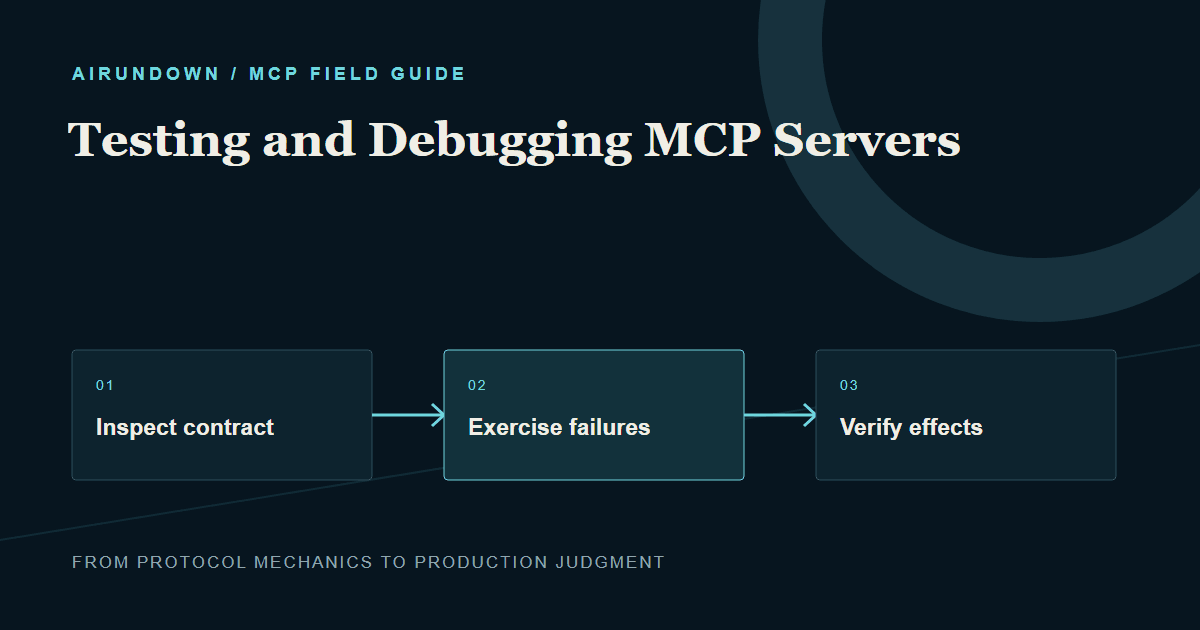
Testing and Debugging MCP Servers
A practical workflow for inspecting, testing, and debugging MCP servers from protocol exchange to downstream side effects.
A practical workflow for inspecting, testing, and debugging MCP servers from protocol exchange to downstream side effects.
Inspect discovery output before testing model behavior.
Outcome: build a repeatable test loop that proves the server advertises the right contract, handles failure correctly, and produces only the intended downstream effects.
An MCP server can start successfully and still be unusable. The client may discover the wrong schema, the model may select the wrong tool, errors may be opaque, stdout logs may corrupt stdio messages, or a timeout may leave a write in an unknown state. Testing must cover protocol behavior and application behavior together.
TL;DR
- Inspect discovery output before testing model behavior.
- Test tools directly with valid, boundary, invalid, and hostile inputs.
- Keep protocol transport diagnostics separate from protocol messages.
- Verify downstream state, not only the returned text.
- Add regression tests for permissions, cancellation, duplicate writes, and metadata changes.
Use a layered debugging workflow
Work from the lowest layer upward. This makes failures easier to locate.
- Confirm the server process or HTTP endpoint is reachable.
- Verify protocol compatibility and advertised capabilities.
- Inspect tool, resource, and prompt discovery.
- Call capabilities directly with controlled input.
- Verify returned structured data and downstream effects.
- Add the model and test selection behavior last.
If a direct tool call fails, changing the system prompt is unlikely to help. If direct calls work but the model chooses poorly, inspect names, descriptions, overlapping tools, and context rather than transport code.
Inspect the contract
Use an MCP-capable inspector or development client to view what the server actually exposes. Compare tool names, descriptions, input schemas, output schemas, annotations, resource URIs, prompt arguments, and capabilities with the intended design. Generated schema can differ from what a developer assumes, especially around optional fields, enums, nested objects, and defaults.
Look for ambiguous names, descriptions that omit boundaries, unbounded strings or arrays, missing required fields, and tools whose purposes overlap. Confirm sensitive tools are absent for identities that lack permission. Discovery is part of the product interface and deserves snapshots or contract tests.
Build a test matrix
For every important tool, include:
| Case | What it proves |
|---|---|
| Minimal valid input | Required contract works |
| Typical valid input | Normal path behaves correctly |
| Boundary values | Limits are enforced |
| Missing or wrong types | Validation produces useful errors |
| Unauthorized identity | Policy blocks execution |
| Cross-tenant identifier | Isolation is enforced |
| Downstream timeout | Deadline and recovery work |
| Duplicate request | Idempotency prevents repeated effects |
| Cancellation | Work stops or reconciles safely |
| Hostile content | Injection does not bypass policy |
Assert structured fields, error class, retryability, audit event, and downstream state. Avoid tests that pass merely because the response contains a friendly sentence.
Debug stdio servers
In stdio transport, standard input and standard output carry protocol messages. Printing logs to stdout can corrupt the stream. Send diagnostics to stderr or a structured external sink. Confirm the launch command, working directory, environment variables, executable path, permissions, and line-delimited message behavior.
Run the exact command used by the host rather than a convenient shell variant. Environment and paths often differ. Capture process exit code and stderr. Test clean shutdown, unexpected child-process failure, malformed input, and multiple concurrent requests if supported.
Debug remote servers
For Streamable HTTP, test TLS, endpoint routing, accepted origins, authentication challenges, token issuer and audience validation, scopes, tenant binding, proxy timeouts, response streaming, cancellation on disconnect, and rate limits. A browser-like request and an MCP client may take different paths through proxies, so test through the real production edge.
Record correlation IDs across gateway, MCP service, and downstream API. Redact tokens before saving fixtures or sharing logs. A 401 indicates authentication is needed or invalid; a 403 generally means the established identity lacks permission. Preserve that distinction in diagnostics.
A concrete failure investigation
Suppose customerfind appears in the inspector but the model rarely selects it. First call it directly. If it works, inspect its name and description beside similar tools. Perhaps searchrecords claims to search everything and wins the selection. Narrow both descriptions and add representative selection tests.
If the tool is selected but returns empty results, compare the actual JSON arguments with the schema and downstream query. Verify tenant context was derived from identity. If the database query succeeds but the client shows nothing, inspect result content type and structured output parsing. Each step isolates one layer instead of blaming “the MCP.”
Test model selection separately
Create a fixed set of user requests covering positive selection, no-tool answers, ambiguous intent, disallowed actions, and near-neighbor tools. Measure correct tool choice, correct arguments, refusal when required, and unnecessary calls. Run this suite after descriptions or tool lists change.
Model tests are variable, so combine repeated trials with deterministic contract tests. A tool should remain safe even when selected incorrectly; server authorization and validation are the final enforcement points.
Common mistakes
- Testing only through a chat UI.
- Checking response text without verifying side effects.
- Logging protocol messages and secrets indiscriminately.
- Testing as an administrator only.
- Ignoring negative and cross-tenant cases.
- Retrying failed write tests without idempotency.
- Treating one successful run as evidence of reliable selection.
Release checklist
- Snapshot discovery contracts and review differences.
- Validate schemas and structured outputs.
- Exercise success, validation, permission, and dependency failures.
- Verify cancellation, deadlines, and ambiguous-write recovery.
- Test least-privilege identities and tenant isolation.
- Run hostile-content and metadata tests.
- Confirm stdout/stderr separation for stdio.
- Test remote behavior through the real gateway.
- Correlate logs without exposing credentials.
- Run selection regression tests before enabling new tools.
My Take
The inspector is the beginning of MCP testing, not the finish. It reveals the contract and accelerates direct calls, while production confidence comes from proving authorization, failure behavior, and downstream state. The best test suite makes it obvious whether a failure belongs to transport, protocol, tool logic, policy, or model selection.
Sources
- Official Model Context Protocol Inspector repository and documentation
- Model Context Protocol specification: Lifecycle, tools, errors, progress, and cancellation
- Official MCP SDK documentation for transport-specific development guidance